
Do You Need Web Hosting for a Blog?
Do You Need Web Hosting for a Blog
Thinking about starting a blog? Whether you’re sharing your personal stories, building a brand, or turning your passion into profit, one of the first questions you’ll face is: “Do I need web hosting for my blog?”
The short answer? Yes—if you want full control, customization, and growth potential.
In this guide, we’ll break it down step-by-step. You’ll learn why hosting matters, what it actually does, and how to make the right hosting choice for your blog—without the tech overwhelm. Whether you’re a beginner or planning to scale your content strategy, this article has you covered.
Blogs Without Hosting Are Limited
There’s no shortage of free platforms to start blogging—WordPress.com, Blogger, Medium, and others. While these are great for testing ideas, they fall short if you want to build a professional blog or brand.
Free platforms limit what you can do, how you grow, and how you make money.
Many bloggers start there and eventually hit a wall:
- They can’t install advanced plugins.
- Custom themes are restricted.
- Monetization is limited or forbidden.
- The platform owns your content and can shut you down.
If you want to take your blog seriously, web hosting is a must.
The Risks of Skipping Hosting
Let’s say you start your blog on a free platform. Things go well—people start visiting, you want to collect emails or add a store, and suddenly… you hit limitations.
You can’t add new features. You can’t customize the design. You can’t remove ads placed by the platform.
Real Example: A wellness blogger built a following on a free blogging platform. When she tried to add an email signup form and sell digital guides, the platform blocked it unless she upgraded to a high-priced tier. Migrating to self-hosted WordPress was painful and caused downtime.
Don’t wait until you’re forced to move. Hosting gives you full control from day one.
Yes—Hosting Is What Puts Your Blog Online
Let’s get one thing clear: hosting is not just an “add-on.”
Hosting is what makes your blog accessible to the world.
When someone types your domain name (e.g., yourblog.com), it points to the hosting server where your blog files live. No hosting = nothing to show.
Think of hosting as the digital land your blog is built on. Your domain is the address, but you still need a place for people to visit.
Free Platforms Limit Growth and Monetization
Free blogging platforms sound great—until you want to get serious.
Here’s what you typically can’t do on free plans:
- Run ads like Google AdSense
- Sell products or services
- Use custom themes or plugins
- Own your domain name fully (you’re stuck with something like yourblog.wordpress.com)
- Control SEO or analytics tools
Hosting your own blog gives you:
- Full ownership and control
- Flexibility to monetize however you want
- Better branding with a custom domain
- Enhanced credibility and trust
If you want your blog to grow or make money, free platforms just won’t cut it.
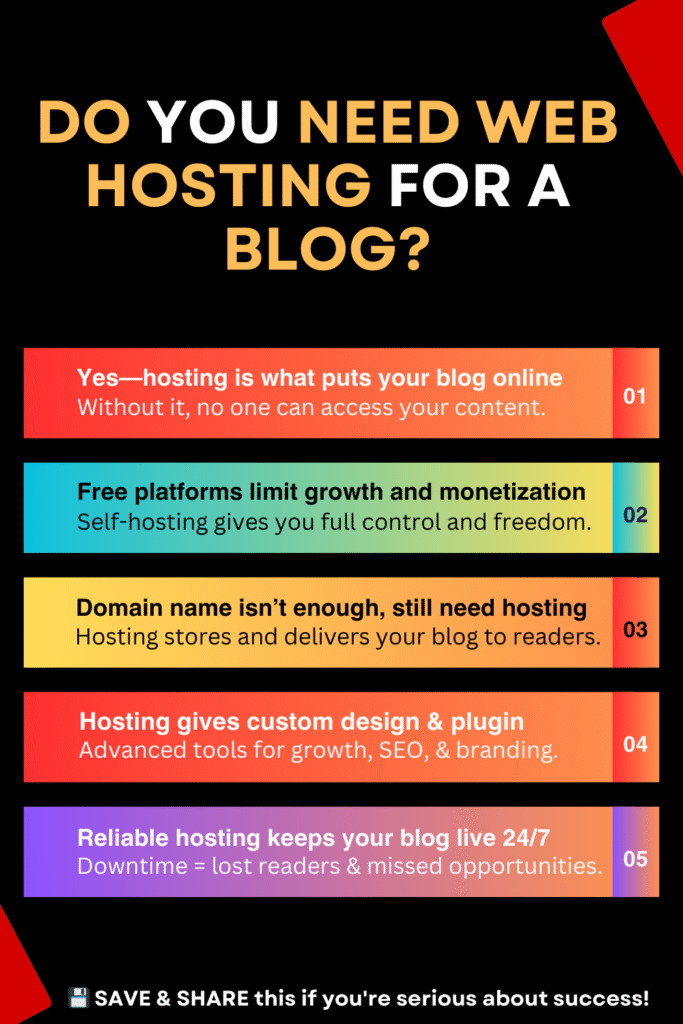
A Domain Name Isn’t Enough—You Still Need Hosting
Buying a domain name is a great first step. But it’s only the beginning.
You still need hosting to connect your domain to actual content. Without hosting, visitors who type your URL will see nothing or a parked page.
Here’s how it works:
- You register a domain (e.g., with GoDaddy, Namecheap, or Google Domains)
- You buy hosting and install your blog platform (like WordPress)
- You connect the domain to your hosting account
- Now, when someone visits your domain, they see your blog
Many hosting providers (like Bluehost or SiteGround) let you bundle domain and hosting together to make setup easier.
Hosting Gives You Custom Design and Plugin Options
Want a beautiful blog that reflects your style and serves your readers better? You need hosting.
Self-hosted blogs (especially with WordPress.org) allow you to:
- Use professional themes (free and premium)
- Install plugins for SEO, contact forms, popups, backups, etc.
- Customize everything—from layout to functionality
- Optimize for speed, security, and user experience
Examples of popular plugins you can’t use on free plans:
- Yoast SEO (for search optimization)
- Elementor (for drag-and-drop design)
- WooCommerce (for selling products)
- Mailchimp integrations (for email signup forms)
Cloud-based managed hosting platforms like Cloudways make running a self-hosted blog even easier by handling speed, updates, and backups for you—without needing to manage the technical stuff.
Reliable Hosting Keeps Your Blog Live 24/7
What’s the point of blogging if your site is down half the time?
Reliable hosting ensures your blog is available to readers around the clock. Look for hosts with:
- 99.9% uptime guarantees
- Fast-loading servers
- Automatic backups
- Security monitoring
- SSL certificates (included for free)
Hosting affects everything—from how fast your site loads to how well it ranks on Google.
Slow sites lose readers. Unstable hosting loses trust.
That’s why platforms like Cloudways are popular with bloggers who value performance but don’t want to manage servers themselves. It runs your blog on top-tier cloud providers while giving you a user-friendly dashboard.
Final Thoughts: Hosting Is an Investment in Your Blog’s Future
You don’t need to spend a fortune—or become a tech wizard—to start your blog the right way. But skipping hosting or trying to “do it free” can cost you much more in the long run: missed opportunities, limited control, and frustrating limitations.
If you’re serious about building a blog that grows with you, start with proper hosting.
Next Steps:
- Choose your domain name
- Pick a hosting provider that fits your goals and budget
- Set up WordPress and start publishing your content
Ready to get started? Explore beginner-friendly hosts like Bluehost, SiteGround, or managed options like Cloudways if you want better speed and flexibility.
Common Questions Answered
Q: Can I start a blog without hosting?
Yes, on free platforms—but you’ll face serious limitations if you want to grow, monetize, or customize.
Q: How much does hosting cost for a blog?
Basic plans start around $3–$10/month. More advanced managed hosting (like Cloudways) may start around $14/month depending on the cloud provider you choose.
Q: Is WordPress free?
Yes, WordPress.org is free to install on your hosting plan. The platform is open-source—you just pay for hosting and a domain.
Q: Can I move my blog to a different host later?
Yes. Most good hosts offer free or easy migration tools.
Q: Do I need technical skills to manage hosting?
No—especially if you use beginner-friendly hosts with one-click setup, dashboards, and strong support.